
Ordering & scheduling
Context
An Angular 11 application, at the core of a services platform for both individuals and businesses; without it, most orders are not processed.
The first time I opened the project, I was shocked. A codebase with no documentation, no reliable tests, and technical debt so deep that several developers had already left before me. I didn’t know Angular. No one was there to guide me. I could have chosen to survive; I chose to understand.
I eventually took full ownership of the project, alone, for nearly 2 years.
Technical debt
Structural technical debt
- 🍝 “Spaghetti” codebase: scattered and intertwined logic (silent side effects that are hard to anticipate with every change)
- ⚠️ Unstable internal dependencies, too structural to clean up without risking destabilizing the whole system
- 🔀 Mixing of frontend & backend business logic: no clear separation of concerns
The symptoms
- 📦 The main JavaScript bundle was huge (15MB!), causing extreme loading times on less powerful devices and networks, for an application directly tied to revenue.
- ⏳ Drastically increased development time for every change
- 💥 High risk of bugs and regressions
I quickly learned that you don’t refactor an application like this all at once. You work in zones, you secure what you touch, you document what you understand, and you move forward.
Performance optimization
Between two sprints, I identified a major improvement opportunity and proposed making it a priority.
The main cause of slowness was the size of the initial bundle: the entire application code was loaded at startup, regardless of the page visited.
So I focused on what would have the most impact: lazy-loading modules per page, so only useful content is loaded:
-
✂️ Restructuring and lazy-loading modules: each page gets its own module, loaded only on navigation.
-
🧼 Cleaning up the root module: removing non-structural dependencies and moving them to the modules where they were actually needed.
⚠️ Sensitive operationIn this Angular version, moving a dependency without manually checking each of its usages can make existing behavior disappear, without any error message.
We went from 15 to 5.59MB, which is not enough.
Other optimizations followed:
- 🧹 Refactoring a shared module
- 🗑️ Removing dead code
- ⚡ Optimizing network request timing
Final result
- ✅ 88% reduction of the main bundle
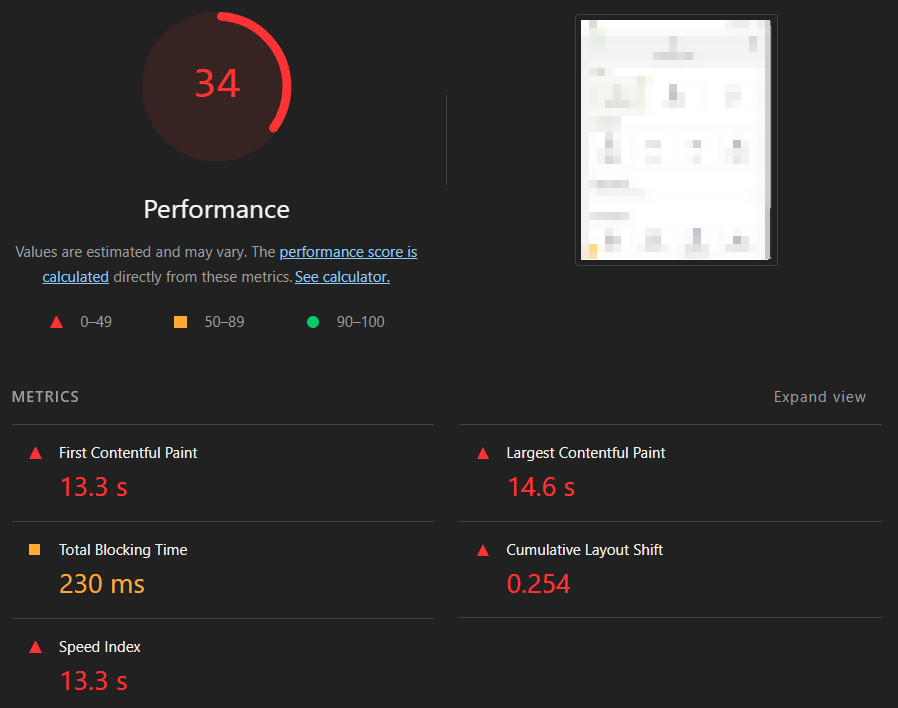
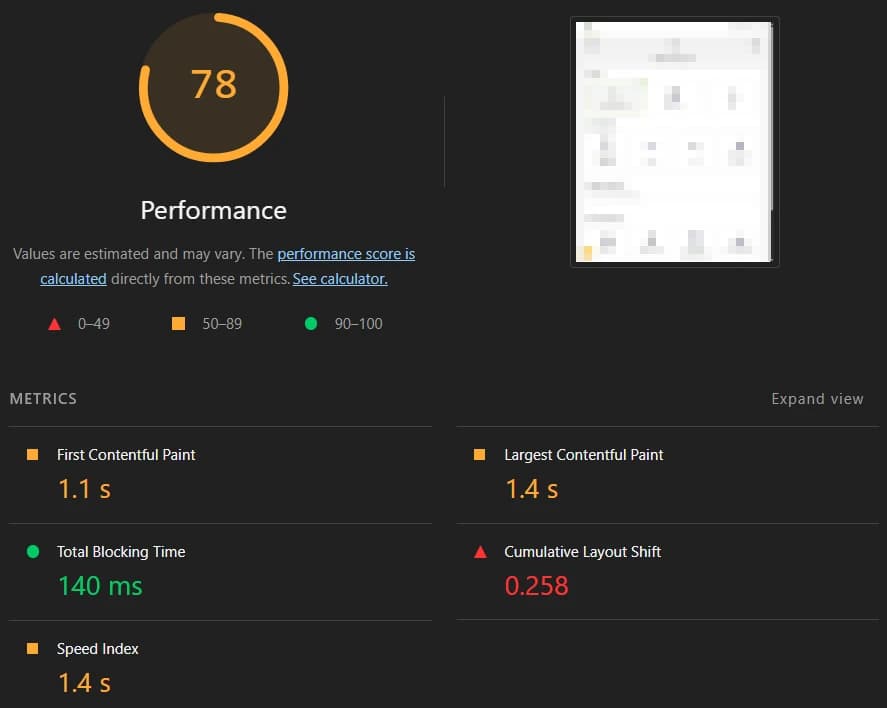
- ✅ Lighthouse score improved from ~34 to ~78, with a 13.2-second improvement in LCP
- ✅ Business logic unchanged and 0 regressions
On a strategic application where every second of loading time directly impacts conversion rate, this is not just a technical gain, but a real business impact.
Customer area revamp
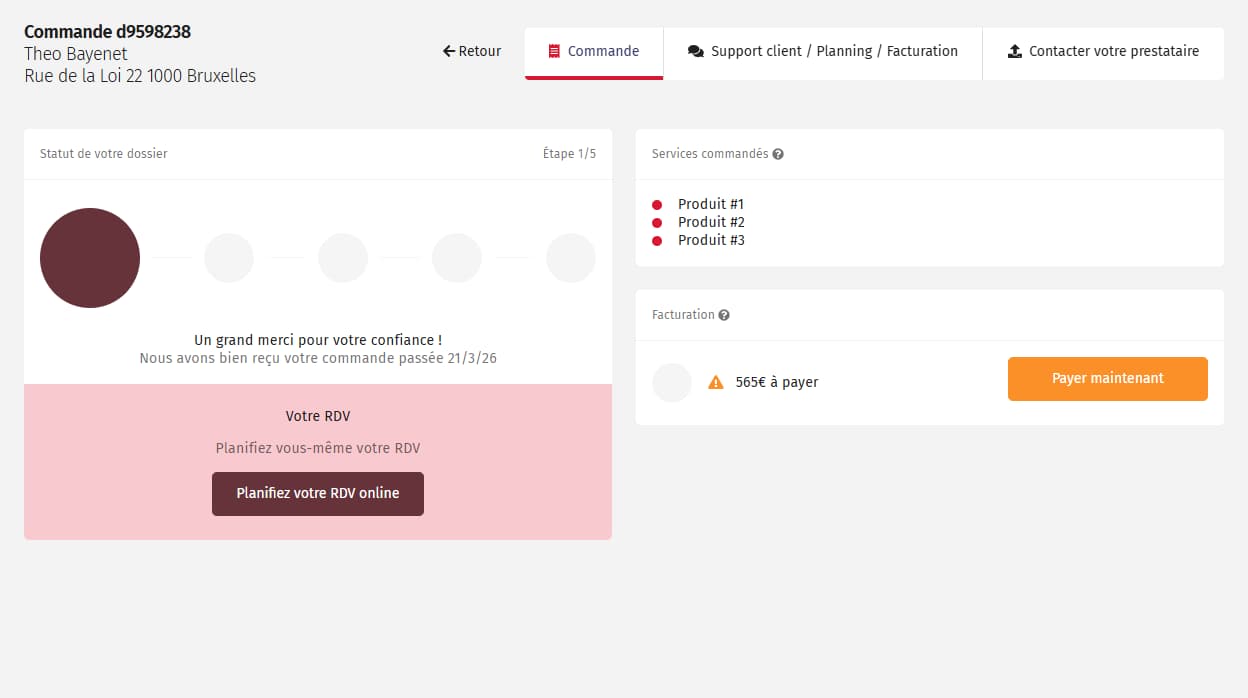
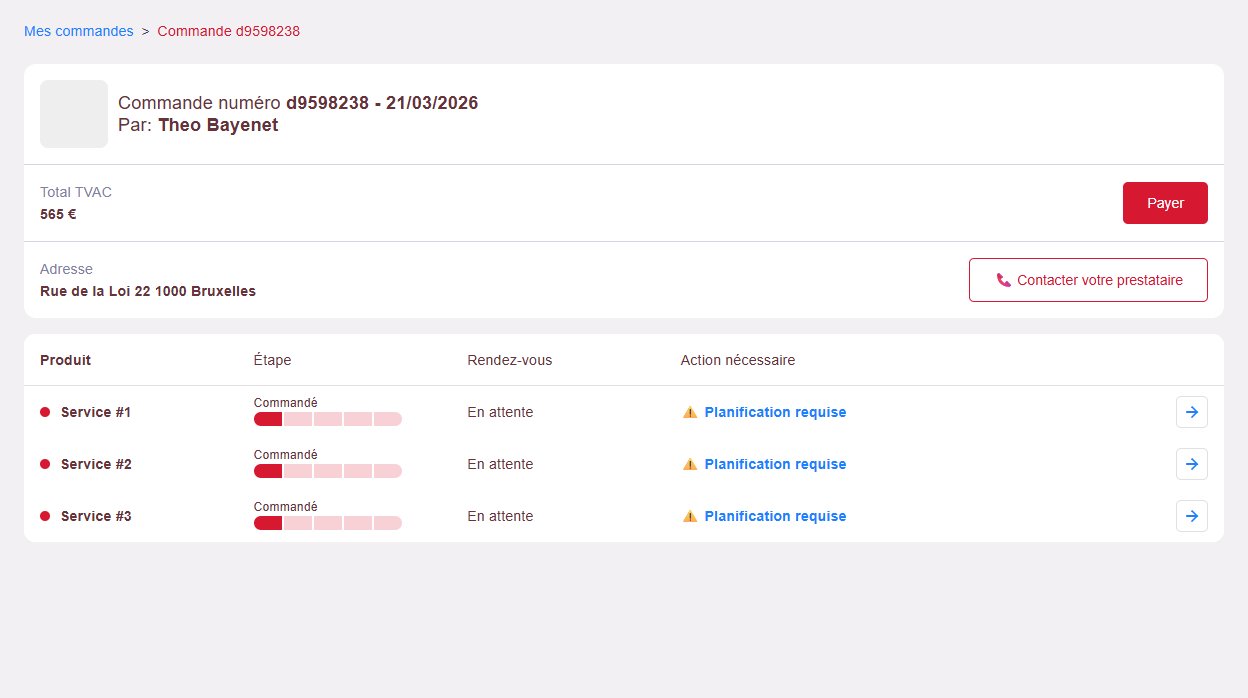
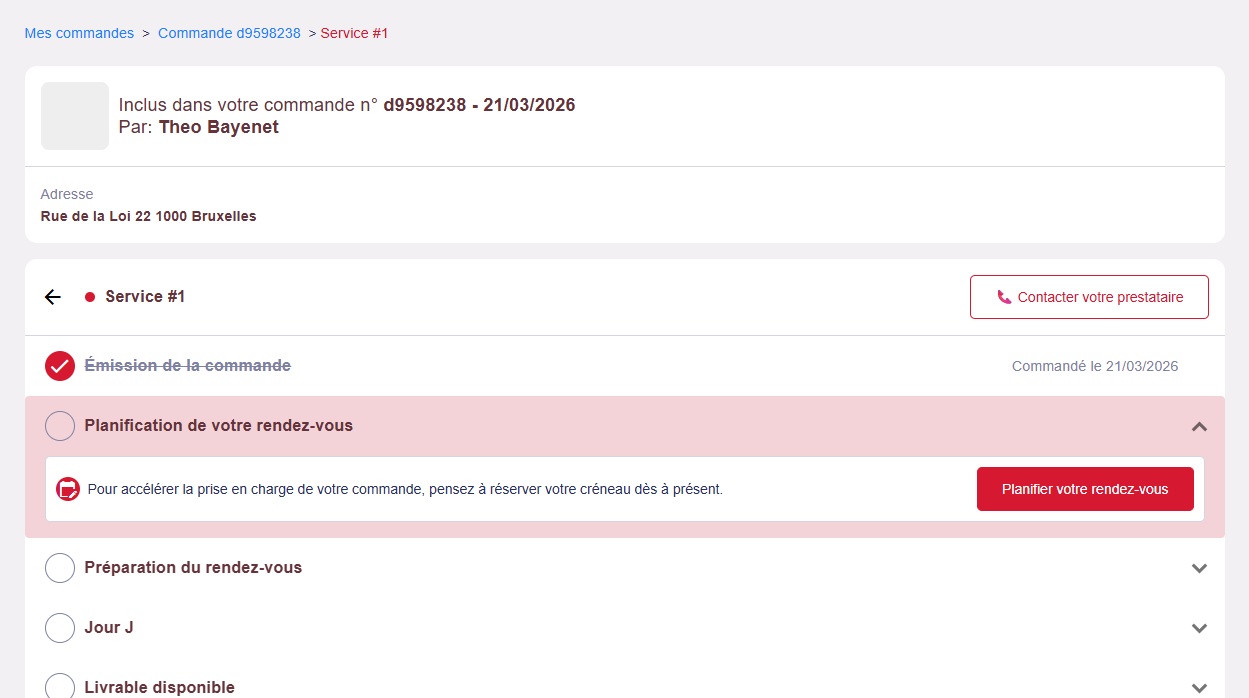
At the request of the product owner, I led the redesign of the customer area: a functional but confusing section that generated avoidable support calls.
The objective was threefold:
- 🧠 Clarify the UX: Reimagine the interface to accurately reflect the business data structure and guide users toward the expected action without ambiguity.
- 📞 Reduce support load: fewer incoming calls for questions the interface should answer on its own.
- 🎨 Modernize the UI: make it more readable, consistent, and pleasant to use.
Approach and implementation
This redesign led me to:
- 👥 Work directly with non-technical stakeholders to gather field feedback
- 📊 Make design decisions based on behavioral data collected via Hotjar
- 🧬 Ensure full backward compatibility: mapping existing behaviors in dense, undocumented spaghetti code to avoid losing any functionality during the rewrite
- 🛫 Migrate progressively: controlled rollout of the new version (A/B testing via feature flags), to validate adoption (measured through analytics) before full deployment
Creation & scheduling: a unified workflow
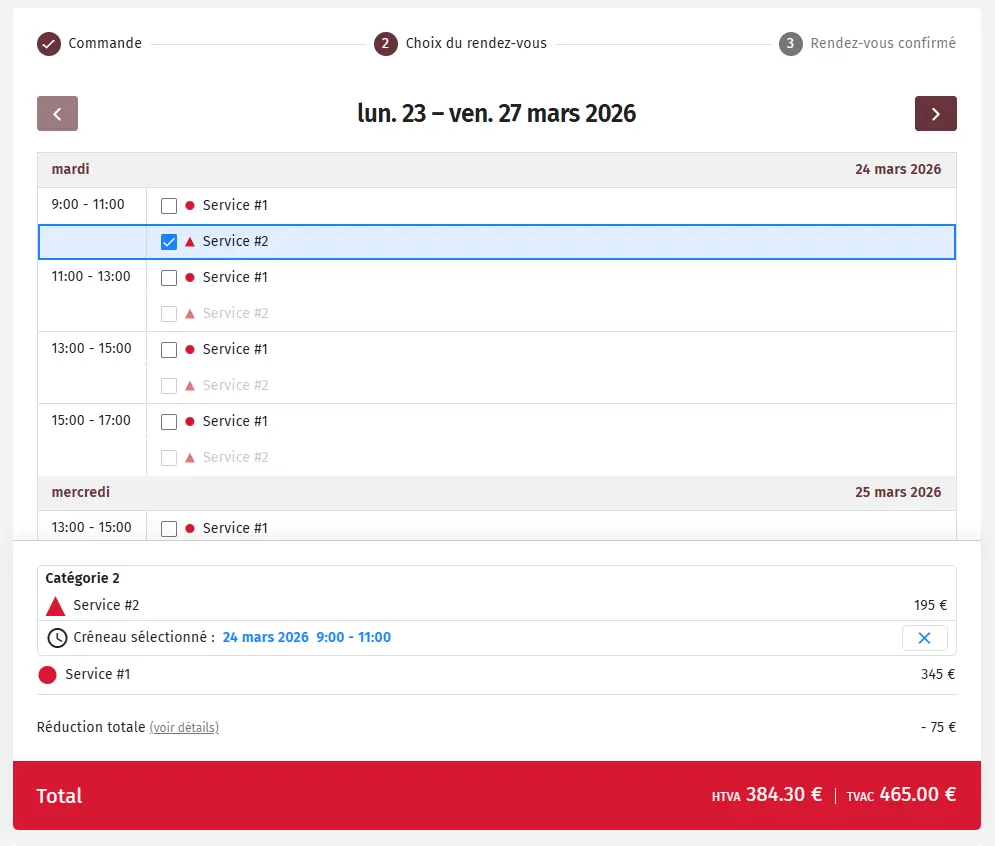
The ticket initially described a scheduling feature: select products, display availability for a dedicated provider, book a time slot. Three steps, one screen. But analyzing dependencies revealed what wasn’t stated: scheduling a service requires an existing order. This was actually a full module to (re)build.
I communicated the real scope to the PO and delivered the full solution: a multi-step unified workflow, from service selection with pricing, to confirming selected time slots for each service within a single calendar, without the technical debt of legacy modules. All while ensuring clean coexistence with the existing order module, without regressions in current workflows.
Documentation & handover
Being the sole maintainer of a complex application comes with an often invisible responsibility: code outlives its authors. On this project, this was especially true: collective knowledge had disappeared with successive departures. I didn’t want to repeat that pattern.
I wrote comprehensive documentation of the project across two dimensions (functional and technical), covering architecture, business behaviors, risk areas, and decisions made. A one-month effort carried out alongside development.
Before leaving, I onboarded my replacement so they could take over without starting from scratch.
Summary
Nearly 2 years on an application no one wanted to touch. This project taught me to work under constraints, to prioritize impact over perfection, and to deliver in a context where every technical decision had direct business consequences.
What I take away:
- ⚡ Learning Angular and RxJS directly in production
- 🛠️ Full ownership and responsibility over a strategic application
- 🧠 Enough perspective to observe the impact of my own decisions on maintainability, and draw the right lessons