Dynamic medical document generator
Context
As part of a medical platform, each patient resource could be turned into a printable document (whether it was an analysis report, a medical summary, or an assessment).
These documents needed to:
- 🖌️ Follow a strict design defined in Figma
- 📐 Support multiple formats (A4, A3, etc.)
- 📏 Remain compatible with variable content length
The Next.js application I built was part of a larger generation pipeline, with a specific role:
- Receive a request with the document parameters
- Fetch the associated data
- Generate a web page, then captured by Puppeteer to produce the final PDF
The technical challenge
Matching a Figma design pixel-perfectly on a fixed format is fairly standard.
Where it gets tricky is with dynamic content. On paper, the page can’t adapt automatically:
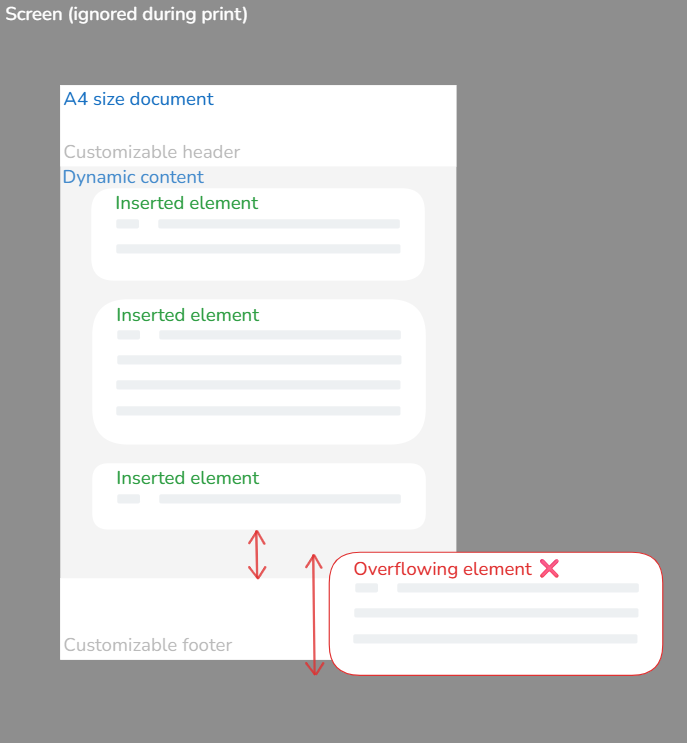
Intuition alone isn’t enough to solve this kind of problem. It’s a true engineering challenge, requiring both creativity and a methodical approach.
My solution: measure before rendering
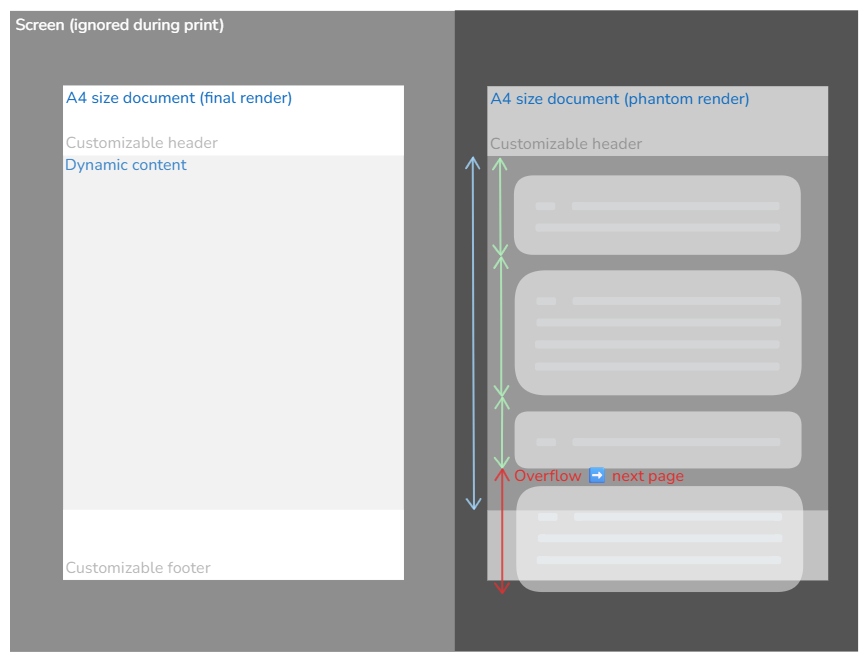
The system relies on two parallel renders:
The ghost render
The content is generated off-screen. It acts as a reference and provides the exact dimensions of the content before layout:
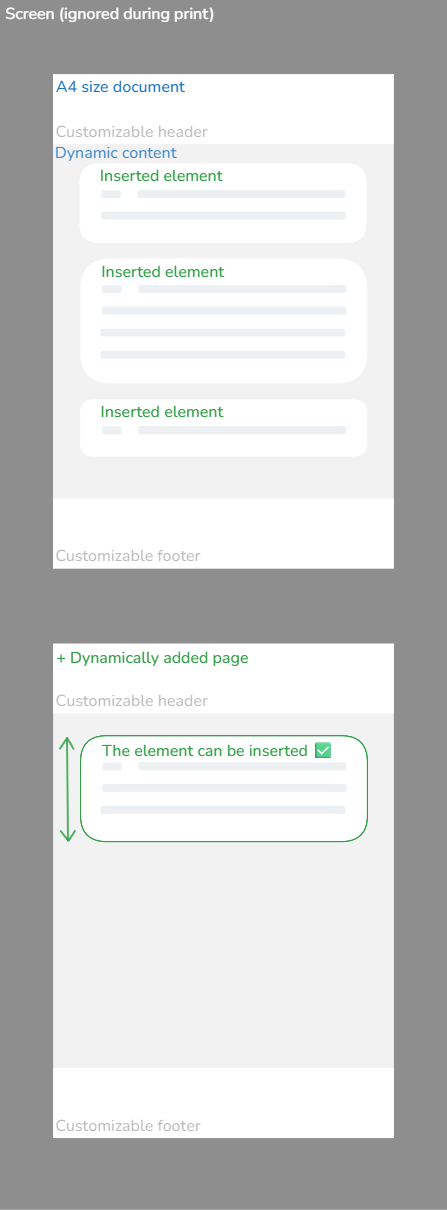
The final render
Once the heights are known, the content is distributed across one or more pages. If a page is full, the remaining content is automatically moved to the next page. The process repeats until everything is properly laid out. ✅
Strengths and constraints
✅ Strengths
- 📄 Compatible with any document format (A3, A4, custom, ...).
- 🖋️ Optional header and footer.
- ⚡ Optional dynamic pages: you can stay static if content doesn’t change.
- 🔢 Supports automatic page numbering, even for dynamically added pages.
⚠️ Constraints
- 🧩 Splittable elements must be direct children of the container.
- 📏 Spacing must be handled using padding only, not margins.
- Clear documentation
- Code-level conventions, enforced through dedicated components designed to be used without thinking, ensuring the system remains reliable even when other developers add content.
Team productivity tool: real-time preview
To make development and testing easier, I built an internal interface that allows:
- ✏️ Editing patient data in real time
- 👀 Instantly previewing the final rendered document

Takeaways
In frontend development, we usually aim to make interfaces increasingly adaptive.
Here, it was the opposite: fitting dynamic content into a fixed layout.
This project taught me to:
- 🔄 Adapt my approach to the problem instead of relying on habits
- 🔗 Understand how a component fits into a larger infrastructure pipeline
- 🧩 Design systems that others can use without needing to understand them